
Archive a customer
What this does
Section titled “What this does”Hides a customer you no longer work with. An archived customer is not shown in the Customers list, its search, or the lists you pick a customer from when you start something new (a new estimate, work order, appointment, expense, trip or file). Everything already recorded for them is kept: estimates, work orders, invoices, payments, notes and files. You can restore them at any time.
Customers can’t be deleted, because their invoices and payments are part of your records. Archiving is how you put one away.
Before you start
Section titled “Before you start”You need permission to manage customers.
- Open the customer (Customers → click the name).
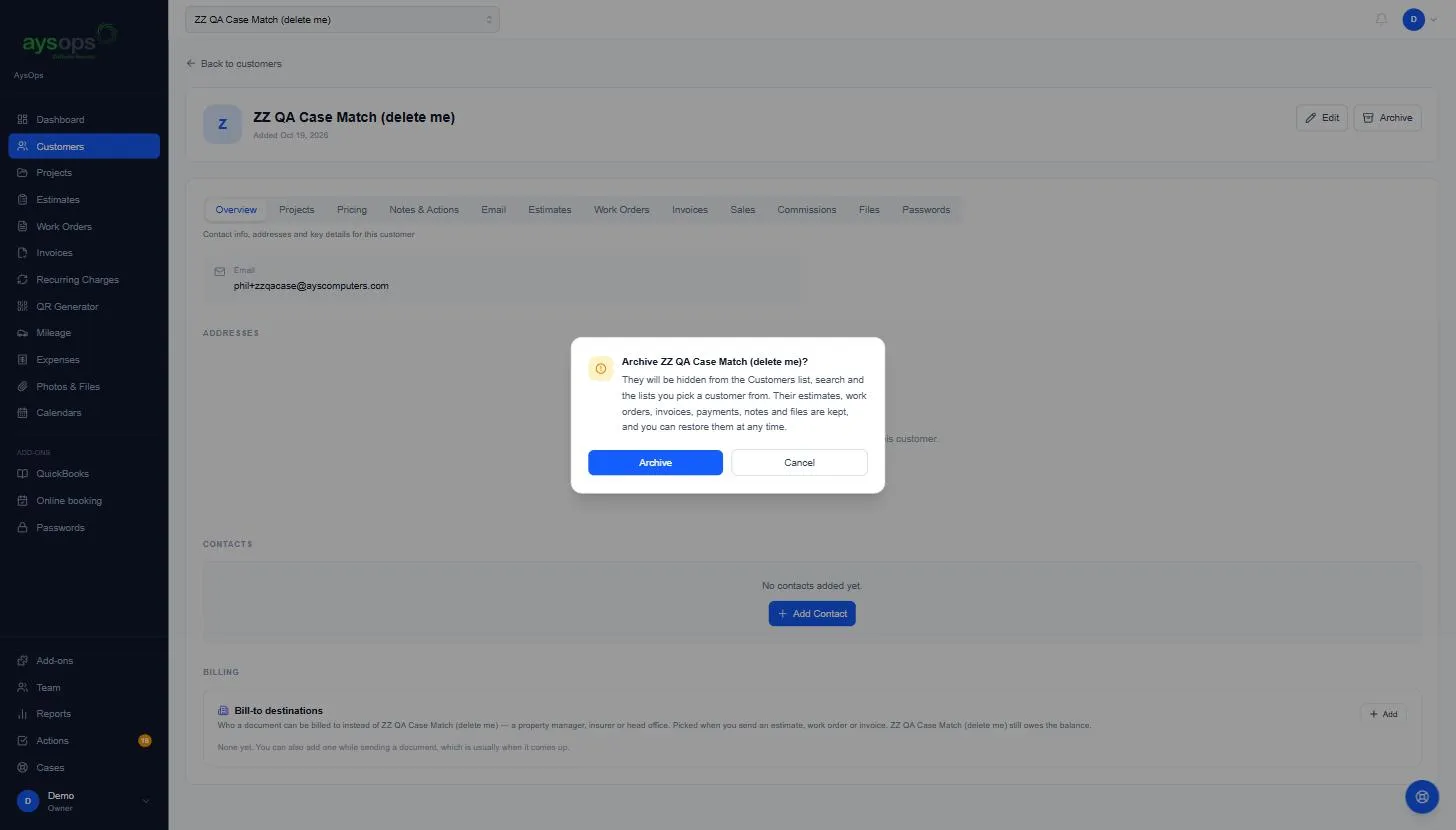
- Click Archive at the top right, beside Edit.
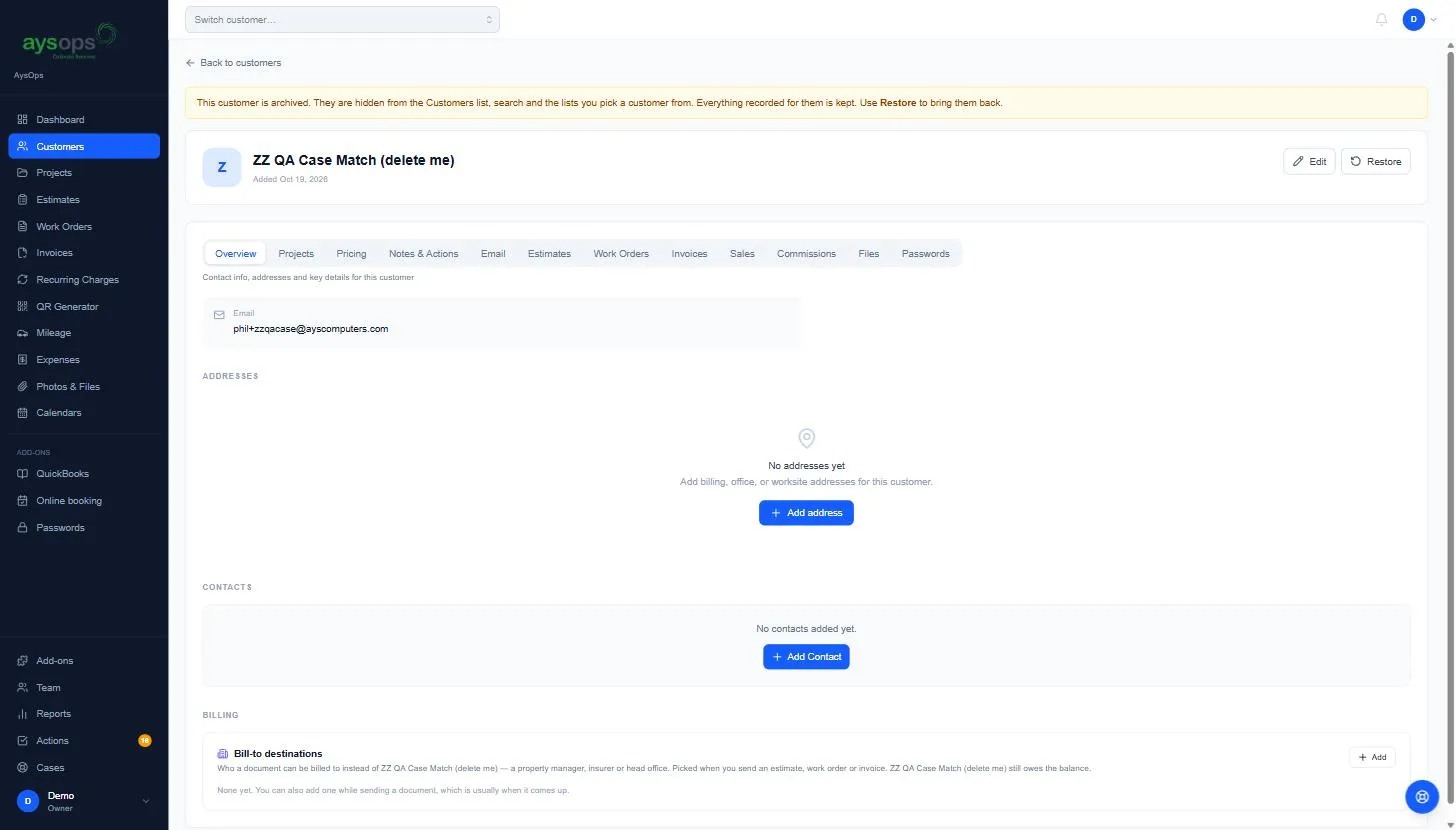
- Read the message and click Archive to confirm. A note at the top of the page now says the customer is archived.
Find or restore an archived customer
Section titled “Find or restore an archived customer”- Click Customers in the left menu, then Archived beside the search box. Only archived customers are listed, and the search works on them too. (Archived isn’t shown on a phone: use a computer or tablet.)
- Click the customer’s name.
- Click Restore at the top right. They are back in the list and the pickers right away.
Click Back to customers to return to the usual list.
Good to know
Section titled “Good to know”- Their documents still show in Estimates, Work Orders, Invoices and Reports, and you can still filter those lists by the archived customer.
- Archiving and restoring are recorded in the customer’s Notes & Actions.
- Company projects are archived from the Projects page instead.
Troubleshooting
Section titled “Troubleshooting”- I can’t find a customer when starting an estimate or work order: they may be archived. Look under Customers → Archived and restore them.
- There is no Archive button: you need permission to manage customers. Ask the account owner.
archive customer, hide customer, remove customer, delete customer, old customer, inactive customer, restore customer, unarchive, archived customers