
Track commissions you earn (and deductions)
What this does
Section titled “What this does”Keeps track of commission income a customer pays you, for example a referral fee or a sales commission: what’s still pending, what has been received, any deductions taken off (such as a brokerage split), and the tax you received. A Year-end summary adds it all up by tax year.
Received commissions count as revenue in Reports (“Commissions (received)”).
Before you start
Section titled “Before you start”You need the Manage commissions & deductions permission (owners, admins and managers by default).
Add a commission
Section titled “Add a commission”- Open the customer and click the Commissions tab, then Add commission.
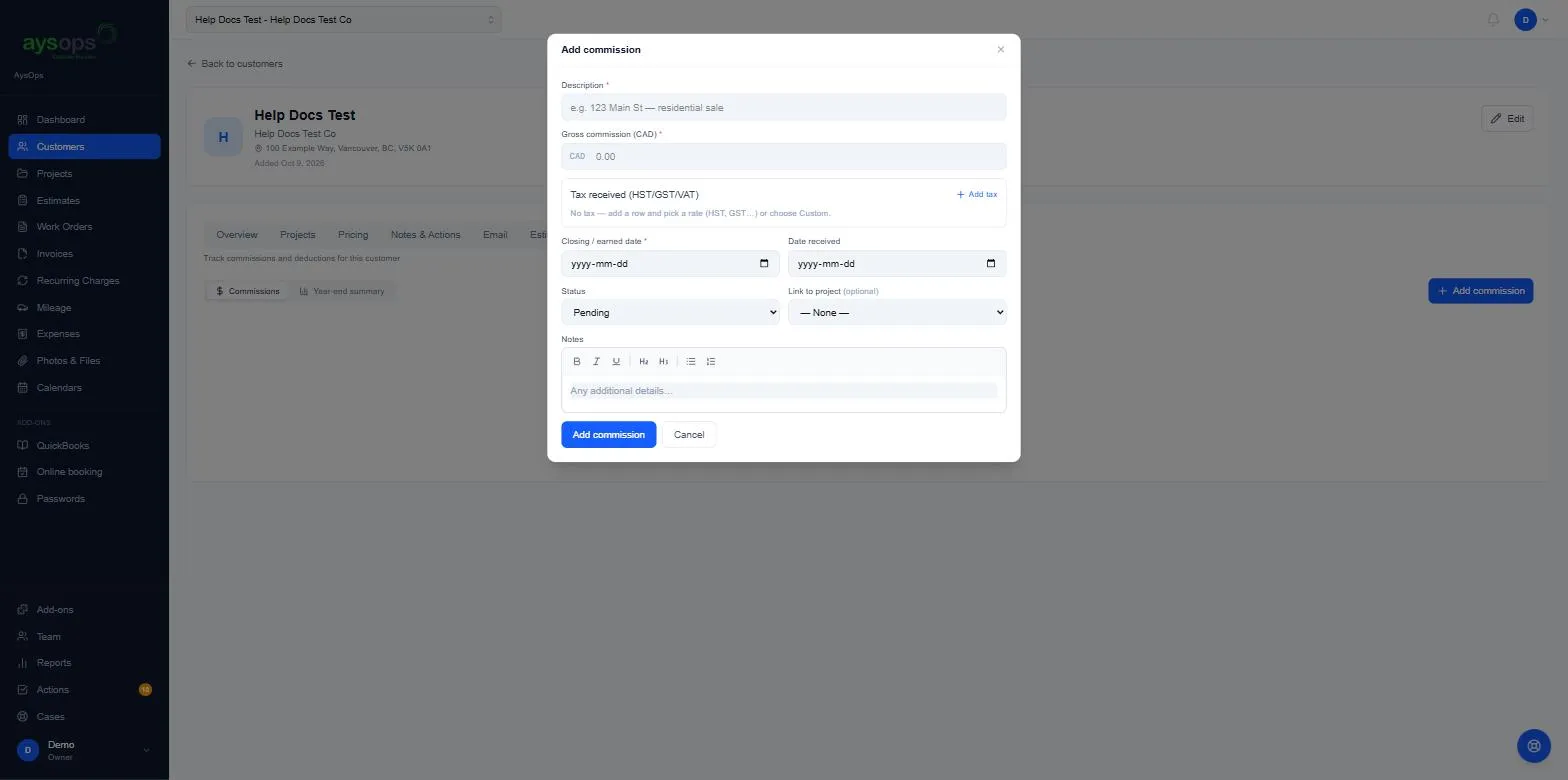
- Fill in:
- Description (required), for example “123 Main St, residential sale”.
- Gross commission (required): the full amount before deductions.
- Tax received: click Add tax and pick a rate (for example GST (5%)), or Custom….
- Closing / earned date (required): this decides the tax year it belongs to.
- Date received and Status (Pending or Received).
- Link to project and Notes (both optional).
- Click Add commission.
Add a deduction
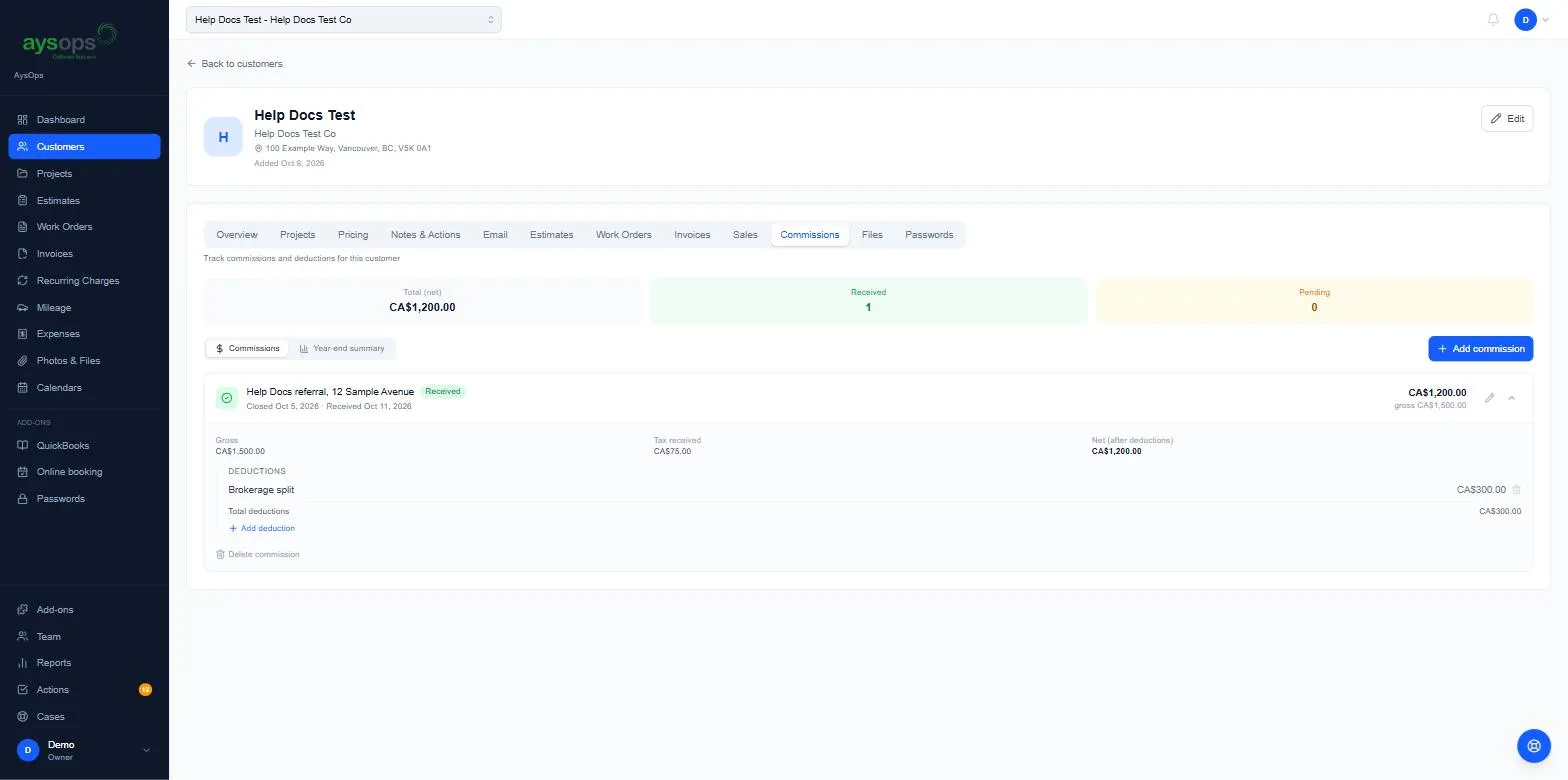
Section titled “Add a deduction”- Click the arrow on the commission to open it. You’ll see Gross, Tax received and Net (after deductions).
- Click Add deduction, type what it is (for example “Brokerage split”) and the amount, then Add deduction. The net goes down by that amount.
Mark it received
Section titled “Mark it received”Click Received on the commission. Its status changes to Received with today’s date. To change the date, use the pencil (Edit).
Year-end summary
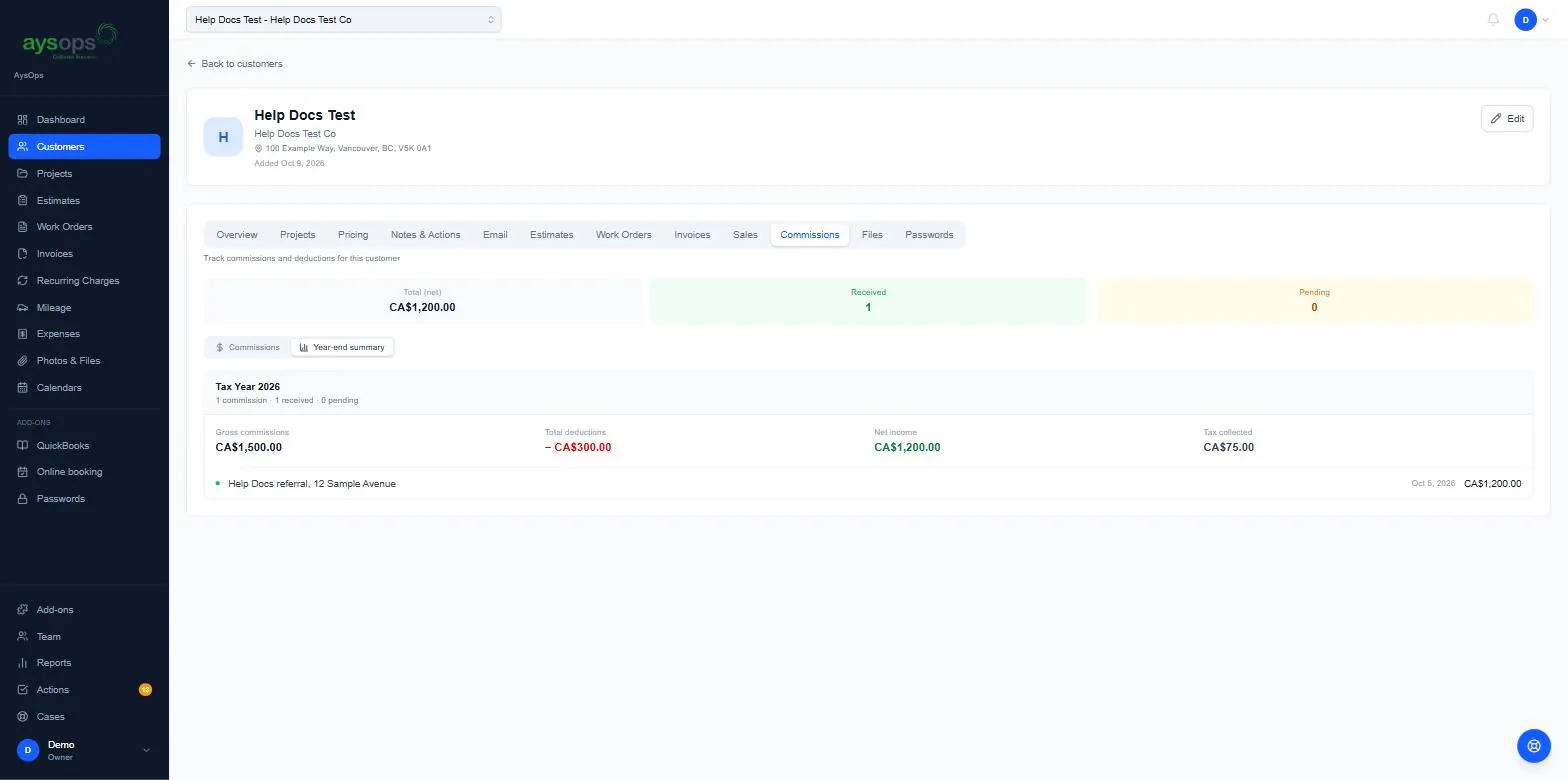
Section titled “Year-end summary”Click Year-end summary. For each tax year (the calendar year of the closing date) you see Gross commissions, Total deductions, Net income and Tax collected, with each commission listed.
What happens next
Section titled “What happens next”The totals at the top of the tab show the Total (net) and how many are Received and Pending. Commissions are separate from Sales: recording one doesn’t affect the other.
If something goes wrong
Section titled “If something goes wrong”- A commission is in the wrong year: the year comes from the Closing / earned date, not the date received. Edit the closing date.
- To remove a deduction, click the bin beside it. To remove the whole commission, open it and click Delete commission.