
Archive or delete an estimate
What this does
Section titled “What this does”- Delete removes an estimate for good. You can only delete a Draft that the customer has never approved or declined.
- Archive hides an estimate from the open list but keeps it on record. Use it for everything else.
AysOps keeps every quote a customer has answered, with their decision and signature, so your records show what was agreed.
Delete a draft
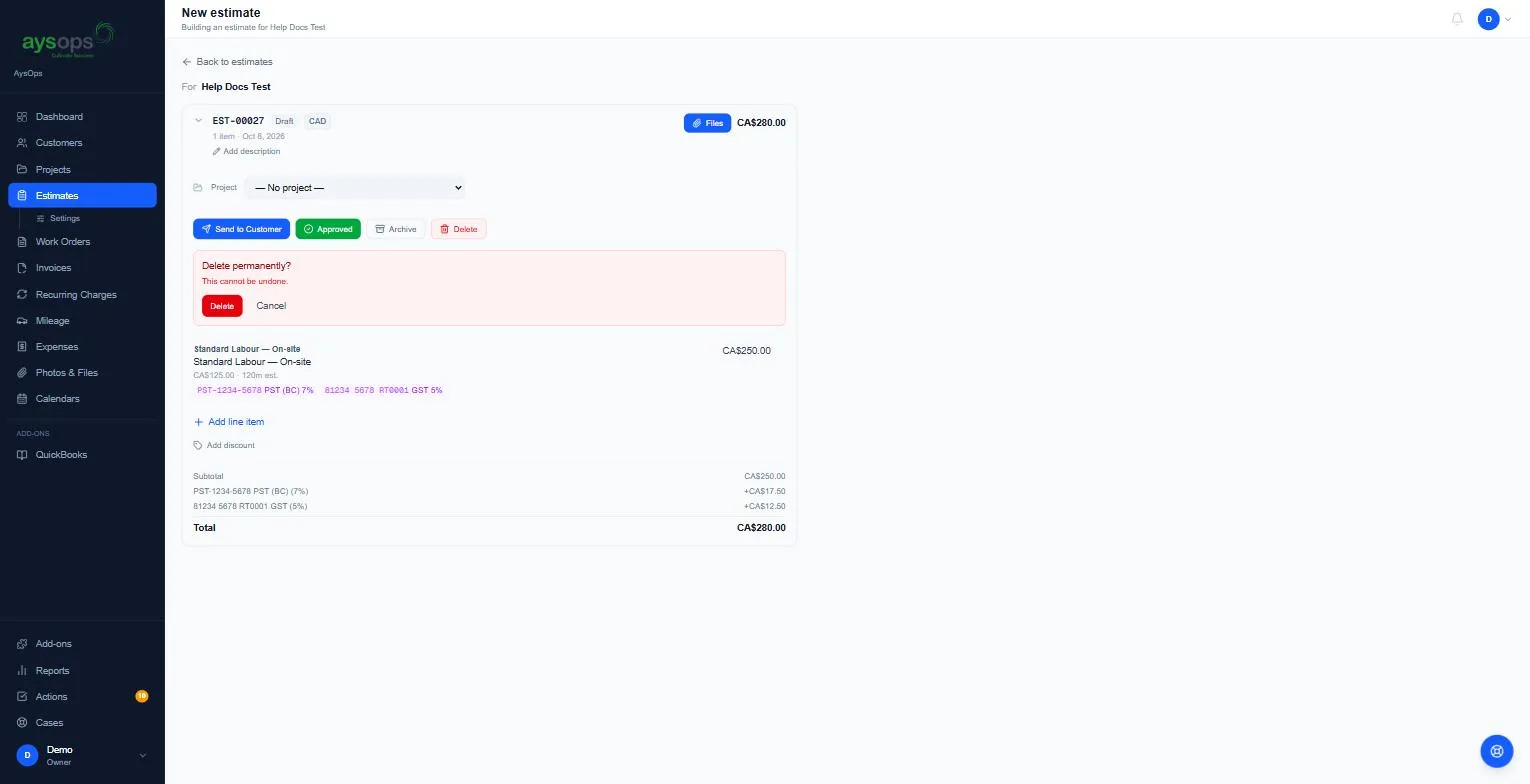
Section titled “Delete a draft”- Open the estimate and click Delete.
- A red box asks “Delete permanently?” and warns “This cannot be undone.”
- Click Delete again to confirm, or Cancel.
Deleting a draft also deletes the estimate’s own copies of the files under Files sent with this estimate, so they stop counting toward your storage. Your Saved attachments are not touched.
Archive an estimate
Section titled “Archive an estimate”- Open the estimate and click Archive.
- Confirm: “Archive this estimate? It will be hidden from the list.” Click Archive.
If something goes wrong
Section titled “If something goes wrong”- There’s no Delete button, or you see “This estimate was sent, so it can only be archived.”: the estimate is with the customer, or they’ve already approved or declined it. Archive it instead. (A quote you recalled before the customer answered is a draft again and can be deleted, unless you sent files with it: the customer was given those files, so it can only be archived.)
Related articles
Section titled “Related articles”delete estimate, delete quote, archive estimate, archive quote, remove quote, hide estimate, cancel quote, can't delete estimate