
Create an estimate
What this does
Section titled “What this does”Starts a new estimate (quote) for a customer, ready for you to add lines and send.
Before you start
Section titled “Before you start”- You need permission to create estimates (owners, admins, managers and staff by default).
- Set up the time rates and products and services you’ll quote with. You can also type one-off charges as you go.
- Click Estimates in the left menu, then New estimate (top right).
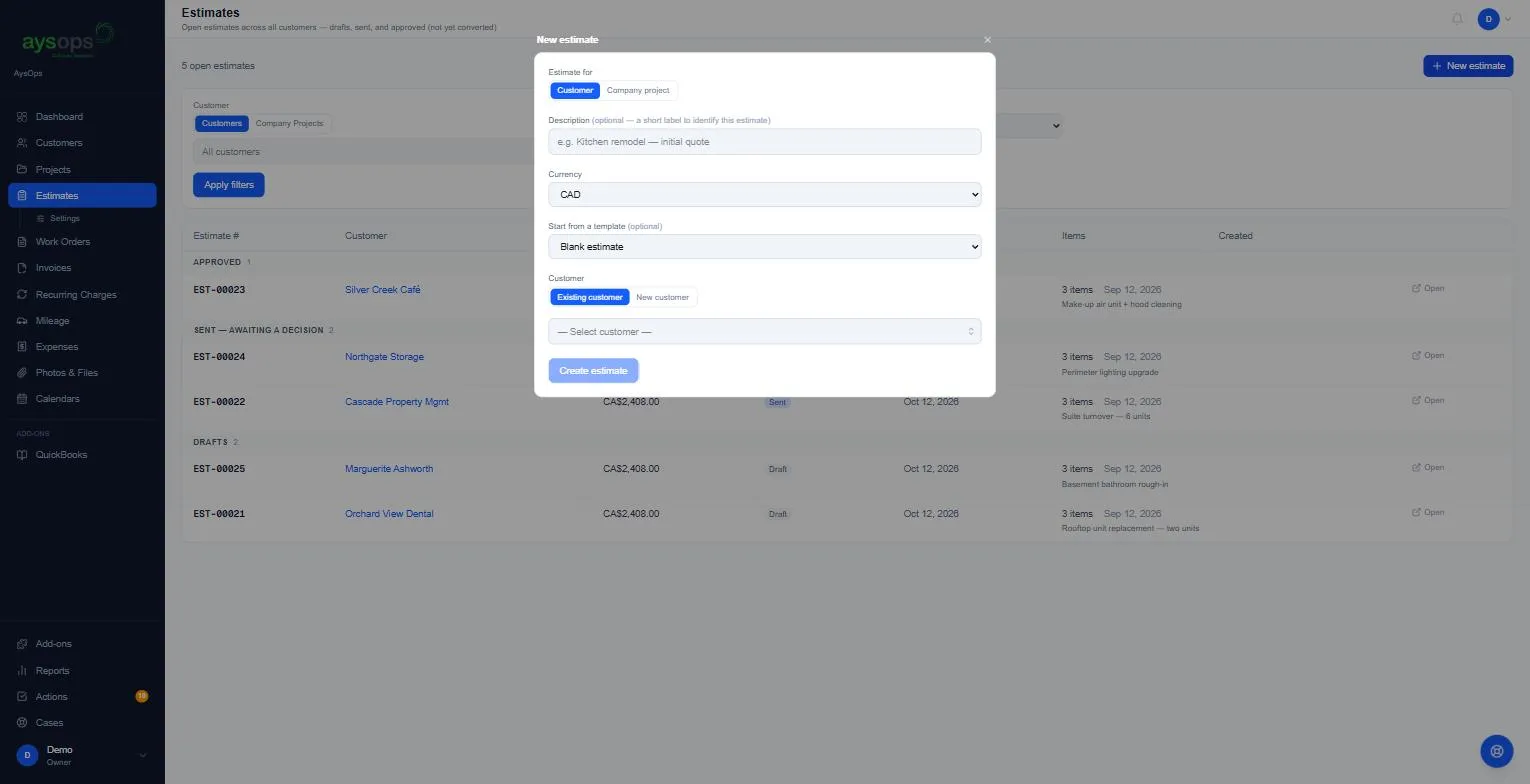
- Fill in the New estimate form:
- Estimate for: Customer (most of the time) or Company project (internal work).
- Description (optional): a short label so you can find it later, for example “Kitchen remodel, initial quote”. Only you see this.
- Currency: CAD or USD. Every line must be in this currency. See Currencies.
- Start from a template (optional): pick a template to copy its lines in, or leave Blank estimate. See Estimate templates.
- Customer: Existing customer (start typing the name and pick it) or New customer (create one here).
- Once a customer is chosen, Project appears: No project, Existing project or New project. Linking a project keeps everything for that job together.
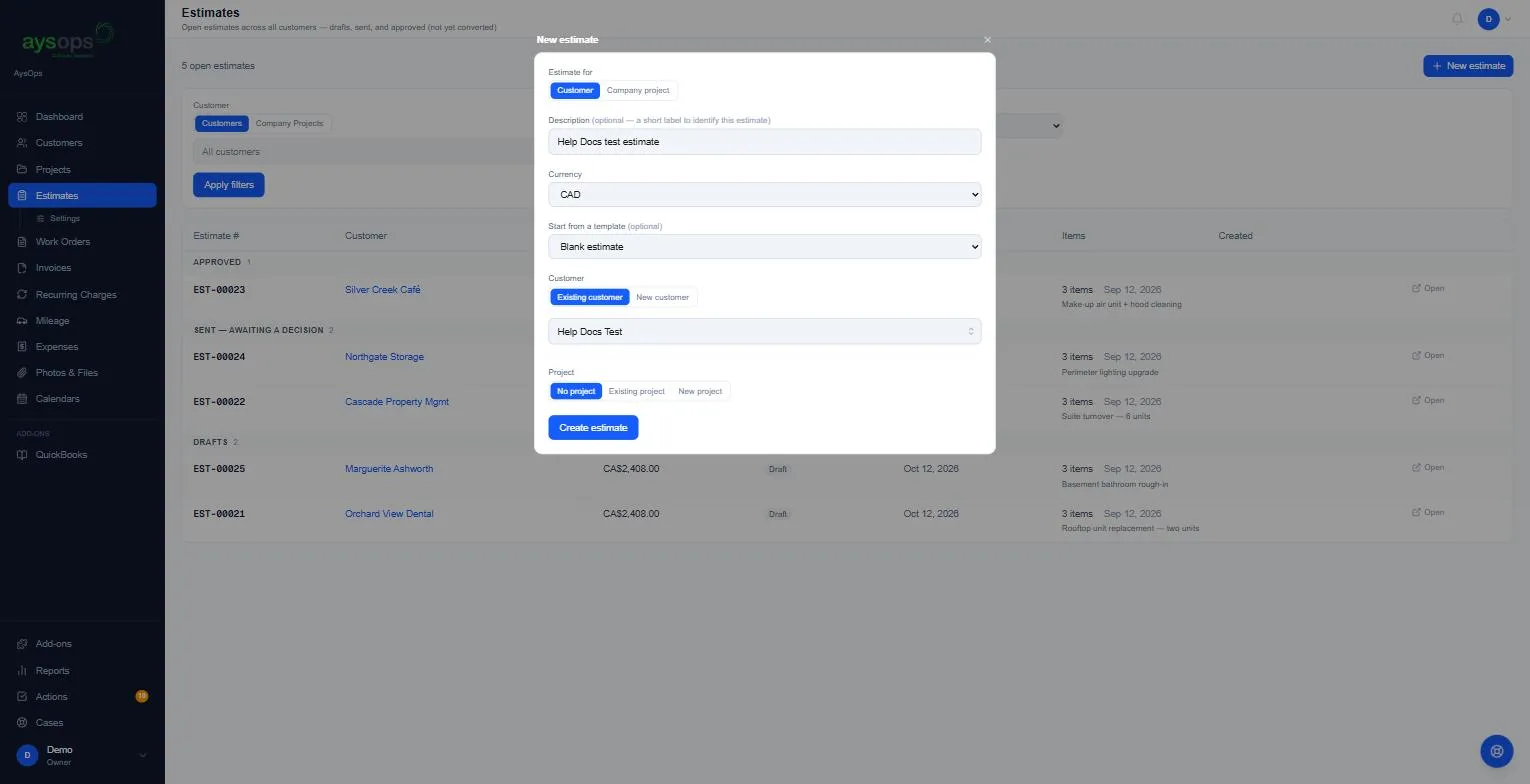
- Click Create estimate.
What happens next
Section titled “What happens next”The estimate opens with its number (for example EST-00026), the label Draft and its currency. It has no lines yet: “No line items yet. Add one below.”
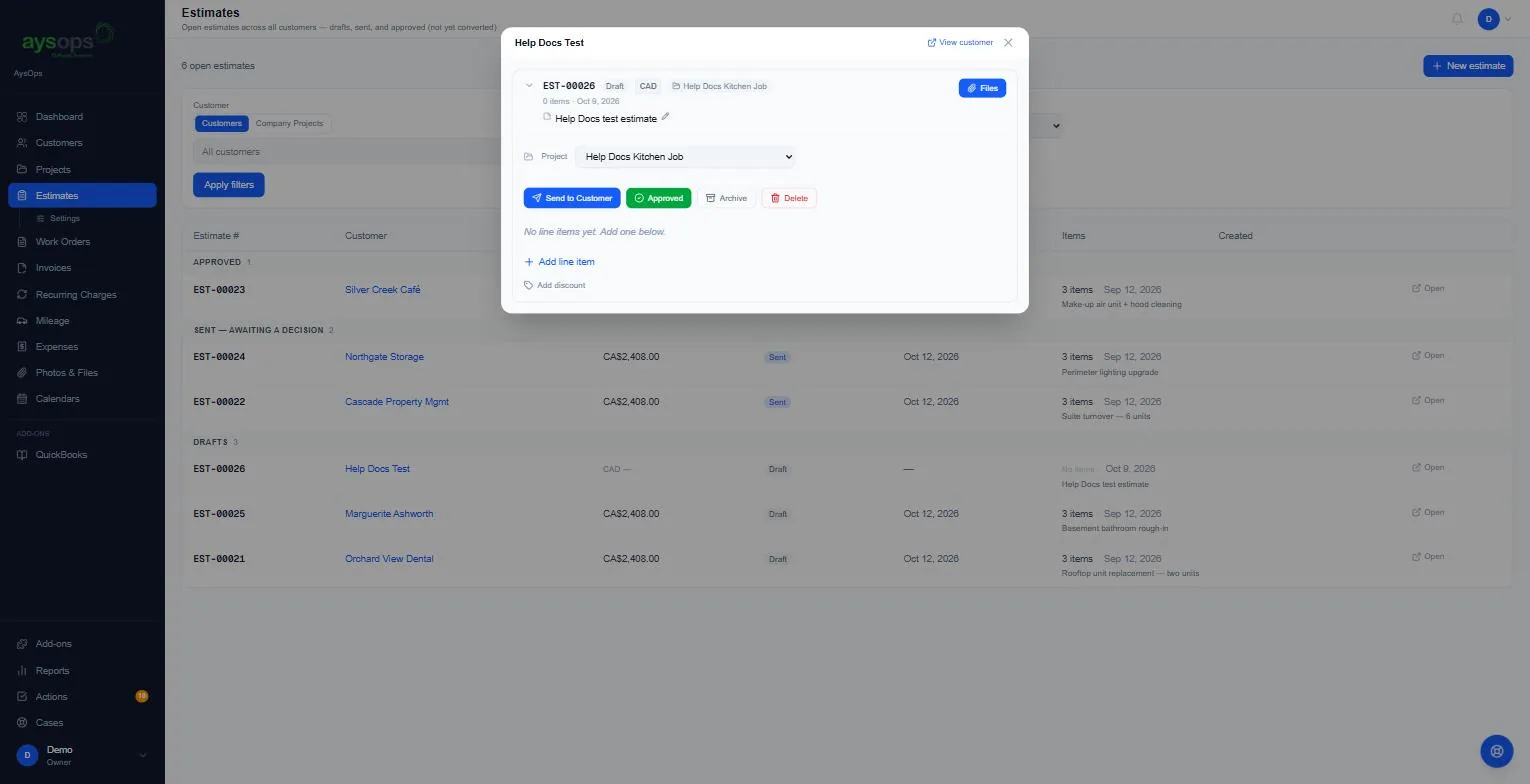
From here you can:
- Add line item: see Add lines to an estimate.
- Add discount: see Add a discount.
- Change the Project, or click the pencil to edit the description.
- Files: attach drawings, photos or documents to the estimate.
You can also start an estimate from a customer’s page, on their Estimates tab.
If something goes wrong
Section titled “If something goes wrong”- Create estimate is greyed out: choose a customer (or a company project) first.
- A customer is missing from the list: they may be archived. Restore them first, see Archive a customer.
- I can’t add an item, it says it’s priced in another currency: the estimate’s currency doesn’t match the item. See Currencies.
Related articles
Section titled “Related articles”new estimate, create estimate, new quote, make a quote, write an estimate, estimate for a customer, company project estimate