
Bill-to destinations (bill someone other than the customer)
What this does
Section titled “What this does”Lets a document be billed to someone else on the customer’s behalf (a property manager, an insurer, a head office) while the customer still owes the balance. The bill-to’s name, address and PO number print on the invoice.
Before you start
Section titled “Before you start”You need permission to manage customers. You can also add a bill-to while sending a document, which is usually when it comes up.
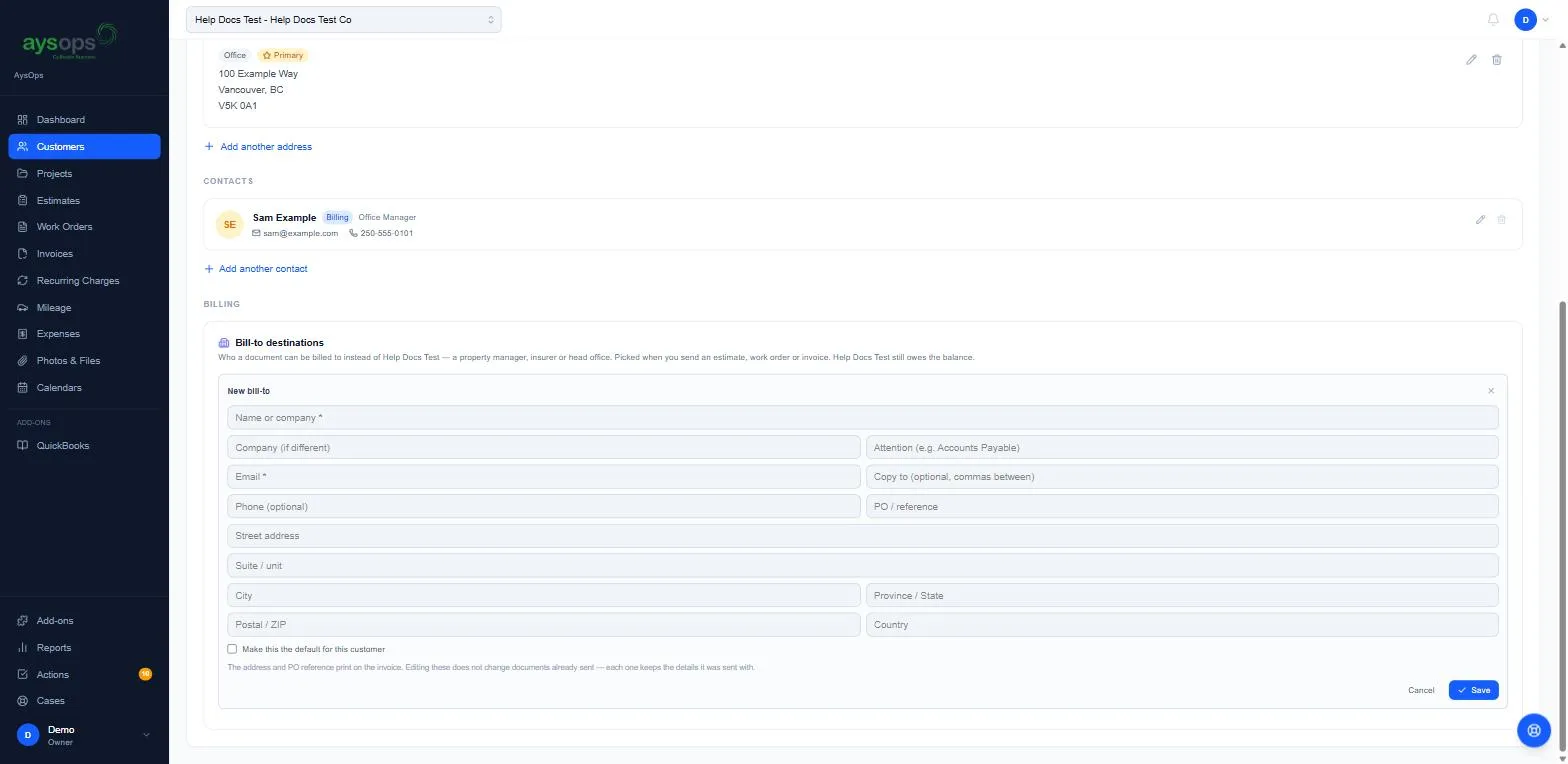
- Open the customer. On the Overview tab, scroll to Billing → Bill-to destinations and click Add.
- Fill in the New bill-to form:
- Name or company (required) and Company (if different).
- Attention (for example “Accounts Payable”).
- Email (required) and Copy to (optional; separate several addresses with commas).
- Phone (optional) and PO / reference.
- Street address, Suite / unit, City, Province / State, Postal / ZIP, Country.
- Optional: tick Make this the default for this customer.
- Click Save (or Cancel).
What happens next
Section titled “What happens next”- When you send an estimate, work order or invoice for this customer, you can pick this bill-to.
- Editing a bill-to doesn’t change documents already sent: each document keeps the details it was sent with.
Related articles
Section titled “Related articles”bill to, bill-to, billing address, invoice to, property manager, insurer, head office, PO number, purchase order, attention, accounts payable, third party billing